FWD:labs

Blog


Part of a series of posts about great film, web, or design artists and their work abuzz online and in-person.

mad-men-lessons-for-freelancers


Author

Aaron Proctor
Founder, FWD:labs
Director of Photography site
Contact


  • Published in Film + Web

first-kiss-tn

We’re drawn in, experiencing what caught our eye. Then, like a domino effect, sometimes content wants us to take another step: to buy some clothes, to see the feature film, or to save the whales.

Selling Clothes

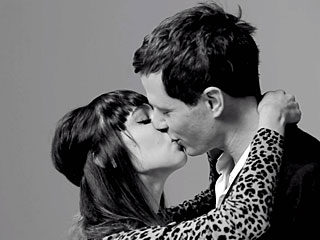
Tatia Pilieva, a Los Angeles based filmmaker finishing her first feature, put together a short, “First Kiss,” which came online Monday and has reached over 47 million views by this morning. The short is actually an advertisement for WREN, which used this as a companion piece for their fashion line.

Watching the Feature

Jonas Cuaron, the son of “Gravity” director Alfonso Cuaron, directed a 7 minute short called “Aningaaq.” The film is a spin-off short in the same world as the feature film “Gravity” and uses Sanda Bullock’s voiceover. According to THR, the short was funded with $100,000 by Warner Home Video and was originally scheduled just for Blu-ray release before screening in film festivals on its own. “Aningaaq” was released after “Gravity” was in theaters and even contended for an Oscar nomination, which would have been historic for a feature and a spin-off to make the same Academy Awards.

Another spin-off short film involved Wes Anderson’s “The Grand Budapest Hotel.” They put up the short film “Castello Cavalcanti” online three months before the opening of his feature film. Here, the 8 minute short was sponsored by PRADA and crewed by the same artisans as the feature.

Saving the Whales

The documentary “Blackfish” about the killer whales at SeaWorld has legs. It’s been through a limited theatrical run, and it’s been on video services like Netflix for a while now. But there are captivated viewers who are acting upon what they saw. There’s both a petition from a New York senator and a bill by a California lawmaker being raised to save the whales. If you check out anything on the topic online, there’s continued public outcry so broad that SeaWorld buys “promoted tweets” and Google Ads to voice a rebuttal. Either way you look at it, the film set up the larger idea to make a serious choice. Nevertheless, the 5% decline in attendance to SeaWorld after “Blackfish” was released is hard to pinpoint to seasonal fluctuation — but now that Jessica Biel is tweeting about it, things could change.

What’s Next?

the-cove-action

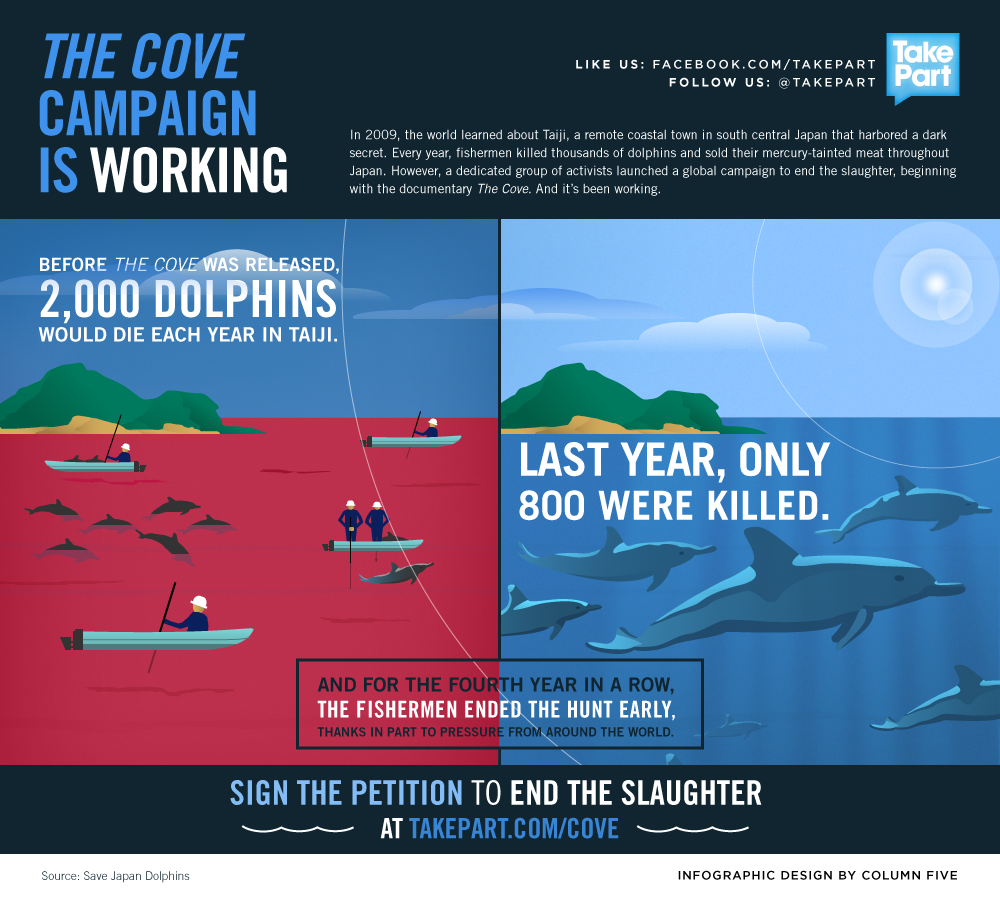
In these cases, the conversion works far better than any other method. But it’s not easy. With “First Kiss,” had it been an unbranded piece, it may have had the same viral boom; had it been more clearly an ad, it might have been skipped over. With the supplemental short related to the feature, perhaps it’s artistically driven quality content that shows waiting for the Blu-ray release isn’t the way to go for everything. And with “Blackfish,” the “take action” approach is reminiscent of major docs “The Cove,” which showed change can happen as a result of enough follow through.


Author

Aaron Proctor
Founder, FWD:labs
Director of Photography site
Contact


fwdlabs-traffic-reports

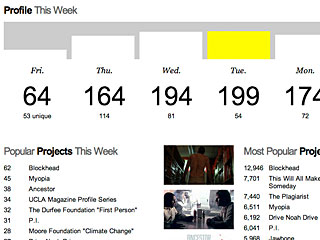
Today we’re very excited to release a big update to a feature now for all FWD:labs users: real-time traffic reports to your page and your work. Data analytics have been one of the top requests from our users, and we’ve made some big changes. Now, everyone has access to real-time data. And, as a special perk for our long-time members, we’re also exposing data going back seven years!

Improving upon when we first rolled out this feature, our traffic reports let you see daily unique (x 7 days), daily pageview (x 7 days), total unique, total pageview, total unique referrers, and top referrers. You can also see the ratio of unique to pageview, which shows engagement or — in other words — how many footprints somebody made when they visited. This all enables you to know your content and efforts on FWD:labs help get your name and work out there to a lot of people.

Just like seven years ago, we still use a form of sparklines for graph data, inspired by designer Edward Tufte. This allows you to easily see the flow without piling more than you need on a chart. Unlike seven years ago, we now cache all data except for today’s real-time numbers, providing you a super fast experience to see numbers that matter.

And while you may be able to see similar data when using services such as Vimeo and Cinely, what we do is different. At FWD:labs, we provide data for both you website and projects, not video player interactions. Best of all, we’re 100% free for all filmmakers at FWD:labs.

Want a little bit more? For our users we pro accounts, we also combine traffic reports for any content of yours on fwdlabs.com included with your custom domain name. This would be impossible with Google Analytics. Pro accounts can also look back through daily legacy data since 2007.

Login and check out your traffic reports. Then, with the time saved and information learned, you can get back to doing what you love: filmmaking.


Author

Aaron Proctor
Founder, FWD:labs
Director of Photography site
Contact


The Academy unveiled a new logo this year, designed by 180LA

Unveiled in 2013, the Academy’ new logo was designed by 180LA

I was recently asked, “which film festivals should we submit our film?”

Picking where to send your film is hard when you consider scheduling for the coming year and vetting individual festivals. These are two of the shortcoming of Withoutabox, the popular pick for consolidating paperwork and knowing deadlines, which I’ve written about in the past. You also may want to be mindful of the overall budget, seeing as how most festivals require fees upward of $50 apiece.

Here’s where word-of-mouth tips can help steer you in the right direction.

I would first look at which ones you submitted to already, whether or not you’ve gotten in for consideration. Were they based on calculated research, like they seem to like esoteric parodies year after year? Or were they based on pure reputation, like Sundance and Cannes? If all of the submission rules were followed correctly, perhaps there’s insight to figure out why the film was or wasn’t selected towards where next to send the film.

Then I would write up a larger list. I don’t use Withoutabox, so I’m sure I wouldn’t be the only one who would be tempted to just “wing it” and Google some names or throw out only big name festivals. However you want to compile information, once I have a list of 10 to 20, you could chart out a budget: submit to one or two every month for the next year after your film is complete.

Finally, if it’s a short, through talking this over with one director who just finished his animated short film, I’ve learned that the Academy publishes a list every year of film festivals. If you win any one of these 77 festivals, you’re apparently considered for an Oscar. (The fine print reads that they may change any of these festivals or awards without notice.)

(Looking for feature film consideration? That’s different, because you need votes from fellow Academy members. Check out TheWrap which looks at those numbers, which vary depending on your branch.)

Below is a copy of the Academy’s 77 preferred festivals for short films. You can also see their formal PDF version. (If you’re viewing this article after our February 2014 publication date, see their Rules page for changes in forthcoming years.)

Of course this isn’t the only way to apply to film festivals and vie for winning big. But it’s certainly better than starting from scratch if you’re new to the game. Do you have any tips? Add a comment below to add your two cents.


Author

Aaron Proctor
Founder, FWD:labs
Director of Photography site
Contact


  • Published in General

Part of a series of posts about great film, web, or design artists and their work abuzz online and in-person.

esurance-save-30

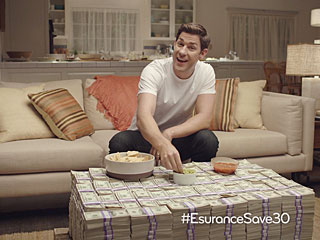
  • What ever happened to the #EsuranceSave30 stunt after the Super Bowl? There was a winner, but Esurance also released the stats of their marketing stunt, which included 1) 5.4 million uses of the #EsuranceSave30 hashtag, 2) more than 200k entries within the first minute of the Esurance commercial airing, and 3) 1.4 million hashtag uses in the first hour and 4.5 million in the first 24 hours. They also gained over 261k new followers to espouse their marketing messages, which sounds like ad money well spent. (via AdWeek)
  • “Single Stories” is a branded content series from Vizeum and The Story Lab featuring celebrities such as Bryan Cranston sharing an impromptu, but pivotal story and “the wisdom they’ve gleaned from the experience.” The brand behind it all is the single malt whiskey company, Glenlivet, and they’re for SundanceTV, although some clips are online. (via Fast Company)
  • “Film Restoration at Criterion Collection” is a short film by Michael Hession and Nicholas Stango that walks through how Criterion works their magic. Tech blog Gizmodo produced the piece. (via Thompson on Hollywood)

Author

Aaron Proctor
Founder, FWD:labs
Director of Photography site
Contact


  • Published in General

karate-kid

As a storytelling coach, I often hear the same question from students: How do I become a better storyteller?

As is the case with any pursuit, it all comes down to practice.

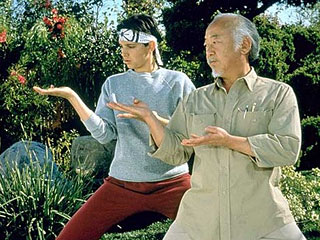
Storytelling is one of the most innate human activities – people tell stories in one form or another every day – but it takes work to hone your craft. So to help you shape your stories, here are “8 Steps to Improving Your Storytelling.” The exercises won’t turn you into David Sedaris, Spalding Gray or even Ralph Macchio (see above) overnight, but try these every day for a month and you’ll notice the benefits. And it’ll be way easier than learning to catch flies with chopsticks*.

  1. Keep a daily log. The first step to becoming a better storyteller is to record events as they happen. Set aside at least half an hour each day, preferably in the morning or late at night, to write in a journal. When you write, it’s important to stick to the facts as much as possible. Avoid passing judgements and drawing conclusions. Be specific (paint a picture), honest (don’t lie!), and personal (explore your stakes), and you’ll quickly find that the journal will become a source of material for stories.
  2. Sharpen your listening skills. Listen to the stories that your friends and family tell. Try to identify the component parts (character, setting, problem, stakes, conflict tension, crisis, climax, consequences) of every story. As I mentioned in a previous post, the fastest way to become a better storyteller is to become a better listener.
  3. Record and transcribe the story. One of the best ways to practice storytelling is to record yourself telling a story. Once you’ve finished, do something unrelated for an hour or so and then come back and transcribe the tape verbatim. The transcription process will help you identify verbal tics (‘um’, ‘uh’, ‘like’, etc) in your speech pattern and will offer insight into the strengths and weaknesses of the narrative.After you’ve read over the transcription, ask yourself: Does the story interest me? If I were a complete stranger, would I listen to the whole story? If the answer to either question is ‘No’, don’t despair. That’s where Step 3 can help.
  4. Outline the story. Once you’ve recorded and transcribed your story, outline the story. Break the story into scenes, draw pictures, or use a story map (see here and here). Experiment with different outline techniques and you’ll find one that works best for you.
  5. Turn the story into a pitch. You should be able to summarize your story in a one sentence pitch, so practice doing this with every story you tell. Pitches should be simple and should suggest big moments or events (i.e., “the time I almost failed out of college” or ‘the time I peed in my pants in front of my high school rowing team”). The simpler the pitch (ten words or fewer) the better.
  6. Try a story out in a social setting. Pitch your story to friends in a social setting and see if anyone wants to hear the story. You’ll quickly figure out what your audience finds interesting. Once you’re feeling comfortable with the story, try performing it at an open mic.
  7. Identify a theme. As I’ve mentioned before, a theme (i.e. redemption, love, betrayal, etc) will often appear in a story after you’ve told it a few times. Once you become aware of the theme, edit the story so the scenes work in service of the theme or themes. You’ll be amazed at what happens when you take the time to edit properly.
  8. Add a new twist. After you’ve performed a story several times, add a new twist. Start in a different place or add in a new detail and see how your audience reacts. The change may or may not work for the story, but you’ll learn something in the process. And that’s the point, after all.

*I’ve never caught a fly with chopsticks

(Originally published at The Story Source.)


Andrew Linderman
Writer. Teacher. Consultant.
@lindermania


Cadrage Director's Viewfinder

Here at FWD:labs, one of our most popular resources is a directory of apps for filmmakers. Filter the list down to apps for directors, and then director viewfinder apps, you would have seen only one for Android, called Cadrage Directors Viewfinder. They’ve now rolled out their iOS version. I reached out to chat with their creators, Daniel Ivancic and Anselm Hartmann at distant blue – mobile solutions, based in Vienna, Austria.

You started the application on the Android platform, which is incredibly popular worldwide but not as competitive when it comes to mobile applications for filmmakers. How has being “Android first” helped your app? How did you come up with the app, decide on its name, and figure out its primary features?
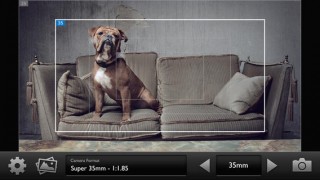
cadrage-directors-viewfinder-screen-1

Daniel and Anselm We started talking about “making an app” about three years ago over a beer, initially just to see if we could pull it off. It was pretty soon clear that it was going to be a filmmaking app, as this would combine our qualifications nicely — Daniel has a degree in informatics and Anselm is a cinematographer. We finally decided to go for a director’s viewfinder because this seemed to us like a challenging project and back then there weren’t many similar apps out there like today. It took us a while to get started in the beginning since we both always had other commitments, so we only did some research and figured out the math at that time. Coding for the Android version actually started in summer of 2012.

The reason why we developed for Android first is because we figured it would actually be more complicated to accommodate so many different devices and if we could make it work on Android it should not be too complicated to port it to iOS (or so we thought). Another reason was that Daniel is very familiar with Java, so it made also sense to start here.

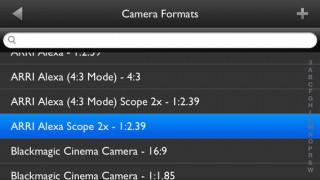
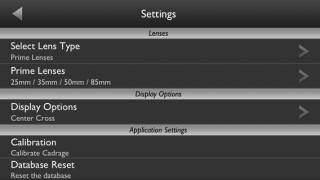
Testing on many different Android devices made us aware of the problem that the camera parameters provided by the phone manufacturers are sometimes usable but more often than not way off. We need to know the correct field of view of the phone though to calculate and display a preview that matches a certain camera. Unlike the couple of iOS devices that are all easily accessible, it was impossible to test thousands of Android phones for their FoV. This is why we came up with the calibration tool that lets the users calibrate their devices. This improves accuracy dramatically. iPhone/iPad/iPod touch users don’t need to do this since we tested all supported devices and the app will choose the right calibration automatically. We still added the calibration tool to the iOS version so that you can calibrate wide-angle or telephoto adapters you might want to use on the phone.

In terms of the user interface the goal was to make it as simple and clean as possible. It made sense to us ergonomically to put the buttons you would need while framing a shot (changing focal lengths and taking a photo) on the lower right hand side, so they would be easily reachable with the right thumb. This way you could hold the phone with both hands keeping the framing steady while changing focal lengths or taking a snapshot.

Another aspect we found important was to offer all different shooting modes (like the 2K, 3K, 4K etc. with RED cameras) and aspect ratios with all the camera formats, for example to have a 1:2.39 crop when shooting with a Canon 7D. Of course the camera only lets you shoot 16:9, but many people use Magic Lantern to display frame guides or put markers on their monitors.

The name “Cadrage” was used initially on a layout for the splashscreen just to have some name for the app. The word is originally French for “framing”, but it is used in the German language also. It kind of stuck, so that’s how it became our app’s name.

Coding for different operating systems can be tedious. Can you walk me through how you converted your Android application over to iOS? What were your individual roles and did you take on everything yourselves? What was the greatest challenge? Were there any unique benefits for your app where Android worked better than iOS — or where iOS worked better than Android?
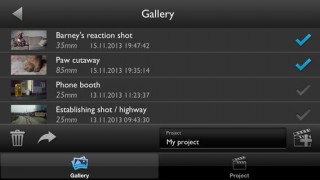
cadrage-directors-viewfinder-screen-2

D & A Everything on the app was done by ourselves, we didn’t outsource anything. Generally speaking Daniel was in charge of the coding and Anselm worked on the user interface/graphics. Although we added new features and re-designed the UI graphics in the process of porting the app, with the existing Android version of Cadrage we knew how the app had to look and behave on iOS: so the first step was to find out, how the core functions — the live image processing of the camera preview and the re-composing of the snapshots — could be realized in the iOS framework. With a prototype that covered this functionality and which ran stable and fast enough on the iPhone, the “real” porting process started: the translation of the data-structures and data-models to the Objective-C programming language, which is used for the iPhone app development. The next step was to implement all the other functions of the Android Version and to rebuild the user-interface for the iOS version. The hardest part in this whole process was that you first have to get to know the characteristics of the framework and the language you are programming in and then have to find out all the “tricks” that you need: but the knowledge of this stuff comes from the experience you get during the whole process of porting the app.

It would be easy to talk for hours about the differences between the iOS framework and the Android framework and which design detail on each operating system makes it easier for developers to realize a specific goal -– but it would be a never ending story and it would be impossible to pick a clear winner. But there is one thing that stands out: On Android our app has to run on more than 3,500 different devices from many different manufactures, that have all their own little adaptations and modifications of the current Android operating system, especially in the way the hardware has to be accessed. In our case that is the access to the device’s camera and it was not easy to make it work stable on all devices. On the iOS operation system we only had to handle about ten devices, which all use the same unmodified operating system. So from this point of view the development of an application for iOS is much more comfortable than the development of an Android app.

Now on iOS, there is a handful of competition with other director viewfinder apps. How do you feel your app is unique and competitive, especially for your price point?
cadrage-directors-viewfinder-screen-3

D & A As you said there are a couple of different viewfinder apps available by now, especially for iOS. Our goal with Cadrage was to make a straight-forward app that works reliable in a professional environment both on iOS and Android that is also affordable for indie filmmakers and film students. We wanted to make it feature rich but still keep the design and user interface as simple as possible. A unique feature is definitely the calibration tool, but in the end it’s often the little things in usability that really ties it into your workflow. For filmmakers we’re another option they can choose, like they choose all their tools and equipment in filmmaking.

You’re based in Vienna, which is a notable European film capital with an incredible film festival, and you have two applications now for filmmakers. How has being in a major city helped your two apps take off? Where do you find your apps have been purchased/downloaded the most around the world? How has making two filmmaker apps helped shape your overall business at Distant Blue?
cadrage-directors-viewfinder-screen-4

D & A We would often meet in a café to work on the app and Vienna has lots of really nice ones with good coffee, so this helped us most definitely. But being in a city with working film professionals of course makes it easier to find people who are willing to test your app. We might be stating the obvious here, but it’s important to know who your users are and how they’ll use your app in their work. You can have thousands of great features but end up with an unusable app that makes everything more complicated instead of easier. So our focus really lies on usability. We did get a lot of input from friends and colleges who used early versions of Cadrage during their shoots and this helped us the most. For us it’s about making apps that we want to use ourselves and knowing a thing or two about filmmaking is in this case essential to creating a high quality app.

About our users: Approximately 20% of them are located in the United States, 40% in Europe and the other 40% in the rest of the world.

What are your thoughts for the future of mobile apps for filmmaking? Where are your two filmmaking apps headed, and where do you think the overall industry of apps for filmmakers is headed?

D & A It’s hard for us to make any predictions about the future about filmmaking apps in general but as long as there are apps available that make your work as a filmmaker easier there’s going to be a demand for them. They are just tools you can decide to use if they help you save time or stay organized. Just as workflows are constantly changing with new cameras being released every year and smart phones getting more and more capabilities, new apps will emerge that accompany these changes in technology.

We will of course keep on updating our released apps. This means in case of Cadrage either adding new cameras to the database and ensuring compatibility to new devices or OS versions but also working on new features and improving old ones. We have a couple of ideas for new apps so you will see more (filmmaking) apps from us soon.


Author

Aaron Proctor
Founder, FWD:labs
Director of Photography site
Contact


  • Published in FWD:labs

best-posts-of-2013-lg

Across 34 articles on film, web, and design — including many from contributing creative professionals — here are my favorite subjects covered this year on this blog.

  1. The Tech Behind Bob Dylan’s New “Like A Rolling Stone” Video
    The combination of a web platform alongside a large quantity of quality video was a game-changer for interactive music videos.
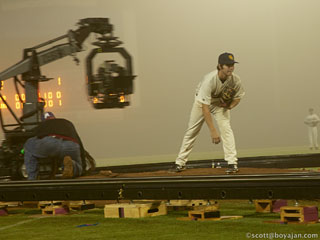
  2. Derek Cianfrance’s Long-Shot Game
    Simple narrative storytelling can rock non-traditional markets and their brands.
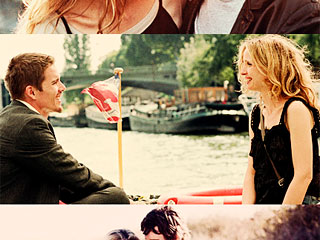
  3. Before “Midnight,” “Sunset,” and “Sunrise,” Art Imitates Life
    Writing what you know worked well for this duo’s trilogy.
  4. Competing with the Big Guys for Small Dollars
    In the midst of “Veronica Mars” and Zack Braff scooping up millions in crowd-funding dollars, here are some tips on how to play the game of small contributions. (Guest post by Courtney Robertson.)
  5. The Short Before The Feature
    We’re still held hostage in movie theaters that bombard tasteless ads and over-commercialized content before the feature, when instead there should be a larger revival of short-form content.
  6. Before and After The Tiger
    Protests and disdain lasted longer than just the flurry that surrounded last year’s Oscars, where the greenscreen image marked solidarity for visual effect creatives and technicians either not appreciated — or no longer in business — for their efforts.
  7. Putting “Turbo” into Motion
    One of the layout artists for the feature film shares his favorite scenes and how they came together. (Guest post by David Badgerow.)
  8. Story is the New Black: 3 Storytelling Rules to Follow
    Looking at “Orange is the New Black” shows us three simple tips on how to tell good stories. (Guest post by Andrew Linderman.)
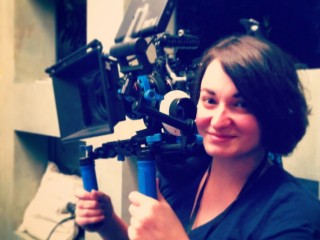
  9. Why Aren’t There More Female Cinematographers?
    This female cinematographer looks at why there’s a shortage and what she thinks can be done to help. (Guest post by Lauren Haroutunian.)
  10. Beyond the Crowd: Looking at Film Funding Alternatives to Crowd-Sourcing
    As more people compete for limited crowd-fund dollars, one grantwriter looks at your lesser-known options for getting a project off the ground. (Guest post by Courtney Robertson.)

One of your favorites not on the list? Browse the archive and comment below.

Finally, check out our 10 best posts of 2012, 2011, 2010, 2009 and 2008.


Author

Aaron Proctor
Founder, FWD:labs
Director of Photography site
Contact


Part of a series of posts about active artists with the tenacity to take their project to completion.
casey-neistat-walter-mitty

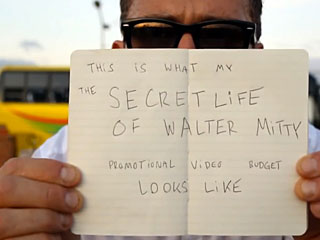
  • Filmmaker Casey Neistat — known now for taking a brand’s ad budget and making an untraditional video for social change — is behind 20th Century Fox’s “The Secret Life of Walter Mitty” so-called promo-turned-doc, “what would you do with $25,000.” Following an impromptu effort to help after the recent typhoon disaster in Southeast Asia, the video-turned-viral does not tout “Walter Mitty” but instead embodies a theme in the film. While $25k from the studio’s Latin America ad agency of record (Ogilvy Argentina) helps for some things, long-term tragedy relief group UNICEF is only a footnote for the viewer to pay it forward. All told, this (slightly) branded content has reached millions of viewers in a short period of time, which may not have happened with a traditional film promo, and maybe the good will gesture will lead to ticket sales for the studio film. Note that Neistat is the same filmmaker known for doing this identical stunt for Nike Fuel Band in a piece called “Make It Count” as well as non-commercial docs like “bike lanes in NYC.”
  • Author Seth Godin’s Christmas Eve tip is to say “yes” when you’re offered precisely what you were hoping for,” rather that just hoping for it and saying nothing. (via Abe Schwartz)
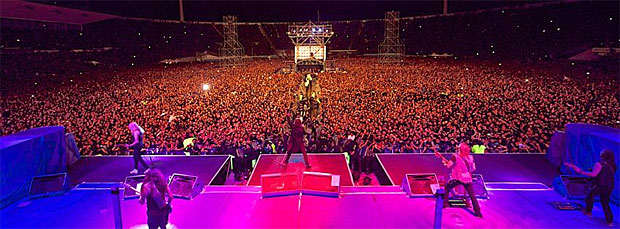
  • [Updated: 12/27 1:15pm] In what’s now figured out to be a hoax, Band Iron Maiden was approached by Musicmetric, a UK analytics company, that showed them which areas of the world their music was bootlegged on torrents the most. “Rather than send in the lawyers, Maiden sent itself in,” writes Andy Patrizio for IT publication CiteWorld, which now retracted the story. By having their next concerts there, it was a win-win for everyone. Even if the story were true — Musicmetric never reached out to Iron Maiden — it’s a reminder of what we could and should do with data: knowing more your audience. (via Aurich Lawson, Creative Director for Ars Technica; corrections by Techcrunch)

iron-maiden


Author

Aaron Proctor
Founder, FWD:labs
Director of Photography site
Contact


  • Published in Film + Web

facebook-video

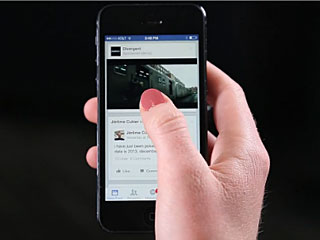
Scrolling through your Facebook feed, you’ll soon see video automatically loading and playing. They’ll also be silent, where clicking turns the audio on and re-plays from the beginning. Is this an aggressive presentation or a welcome opportunity?

The Wall Street Journal (article behind paywall) broke the news yesterday, which Facebook followed with a press release earlier today.

The initial test run of this will work for a vague set of users. The press release, which calls this advertising strategy a new way for marketers to tell stories, says this will work for “Individuals (personal Facebook accounts or verified Pages) [and] Some Pages, like those of entertainers and sports organizations.” What exactly this means to non-Facebook press release writers is unclear, except that it will likely require uploading the video through Facebook and not their chief competitor, YouTube.

We’ll also see a trailer for “Divergent,” a science fiction film slated for early 2014 in what is likely their paid advertising placement, just below the first post or two. In Facebook’s example post, the trailer for “Divergent” appears to auto-play a 20-second clip. Pressing the video re-starts the clip. Finishing or closing the clip opens a horizontal slider of more video clips, leaving no shortage of promotional video content for the user to consume.

This marks the first time that some of Facebook’s “feed” will be moving automatically. Furthermore, auto-playing video has traditionally been a faux-pas, both for the viewer and also the bandwidth consumption. Other social media sites have ignored this, auto-playing looped, short movies like Vines (a product of Twitter) or animated GIFs on Tumblr, Google+ and other social networks. There’s no indication of the time limit for this kind of content to share, but it’s clear this is Facebook’s move to get into motion.

Author

Aaron Proctor
Founder, FWD:labs
Director of Photography site
Contact


  • Published in Film

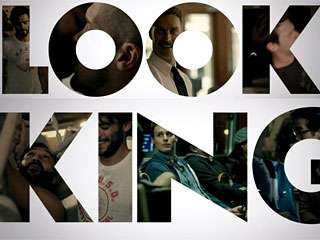
HBO's "Looking" -- which wrapped November 8th -- is one of several new productions marking a resurgence in San Francisco's film and television industry.

HBO’s “Looking” — which wrapped November 8th — is one of several new productions marking a resurgence in San Francisco’s film and television industry.

From the iconic, hill-pounding car chases in “Bullitt” to Robin William’s salute to cross-dressing in “Mrs. Doubtfire,” San Francisco has long provided the perfect backdrop for thousands of feature films, television shows, and commercials. Its hills and bridges provide grandiose scenery amidst an aggressively bohemian culture, and its grittier neighborhoods like Chinatown and the Tenderloin have hosted many crime and police dramas.

But the local film industry fell dormant in the previous decade, slowed by the colossal tech bubble burst of the early 2000’s, and an ensuing global recession.

Damian Lucas, co-owner of Little Giant, a staple grip and lighting rental house in San Francisco, recalls, “Companies were actually recycling commercials in 2000. Nobody was producing anything, and that really hurt.”

While a rebounded tech sector might mean $4 toast and a record number of evictions for San Francisco denizens, it has had the positive impact of re-employing hundreds of local film and video technicians on an endless churn of corporate projects out of Silicon Valley.

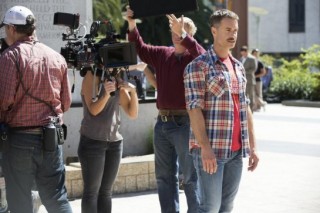
HBO's "Looking" shooting on location in San Francisco. (Photo courtesy of HBO.)

HBO’s “Looking” shooting on location in San Francisco. (Photo courtesy of HBO.)

Susannah Greason Robbins, Executive Director of the San Francisco Film Commission, also noted that the industry has improved dramatically thanks to San Francisco’s own tax rebate program, Scene In San Francisco, which has been striving to bring high caliber film and television productions back to San Francisco. “Things are definitely on the upswing. We are issuing more and more permits and have more and more shooting days every month,” said Ms. Robbins.

Indeed, the number of shooting days in San Francisco has risen by 25% in the third quarter of this year alone, according recent San Francisco Film Commission statistics. Nine large budget productions have shot here over the past year and a half — like MTV’s “The Real World,” Woody Allen’s “Blue Jasmine,” and most recently, HBO’s “Looking,” and have brought a total of $2 million to the city in direct spending.

This is good news not just for San Francisco, but for the entire state of California, which has been hemorrhaging high budget productions to locations like New York, Louisiana, North Carolina, and Canada since the late 1990’s, which offer tax rebates upwards of 30% in wages and hard production costs.

These rebates cater to productions with budgets of over $75 million, which are categorically excluded from California’s Film and Television Production Incentive passed in 2009. As a result, feature film production in Los Angeles alone has decreased by nearly 60% in the last 15 years, costing the state an estimated $4.2 billion in economic output.

Though it may be a good start, the breadth of California’s own incentive program falls far short of demand. With a cap of $100 Million per year — compared to New York state’s $425 million, or no cap at all in the case of Louisiana — there’s simply not enough money allocated to support big budget productions; and even small to mid-size productions are subject to a lottery system. “It’s really like pulling a name out of hat,” said Ms. Robbins of the Film Commission. “You can have three hundred [films] apply, and only twenty films will get it.”

San Francisco’s own tax rebate program, Scene in SF, is an attempt to win the business of would-be expat productions. The program is one of few tax incentives in the country offered by a city, and provides rebates of up to $600,000 per production in city fees and payroll.

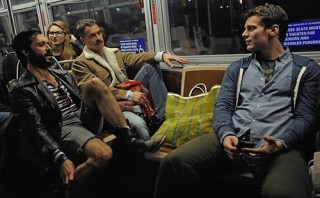
The cast of HBO's "Looking" braves MUNI. (Photo courtesy of HBO.)

The cast of HBO’s “Looking” braves MUNI. (Photo courtesy of HBO.)

To date, 14 feature films and television shows have utilized the program since it began in 2006 – with three more waiting to be rebated in 2014.

These same productions have brought in $42.5 million dollars to the local economy, and have spent $12.8 million on salaries for local crew. Jennifer Burns, owner of JCX Expendables in San Francisco, said “these last few productions [“Looking” and “Blue Jasmine”] are very particular to San Francisco, so they can’t run off to Vancouver and pretend it’s San Francisco. When it’s union shoots, [work] trickles down and keeps everyone busy.”

In 2014, both California and the city of San Francisco will decide whether to amend their respective tax incentive programs. Ms. Robbins said the San Francisco Film Commission will be pushing hard to allocate an additional $1 million to Scene in SF, and broaden the incentive to include the increasingly popular trend of web series.

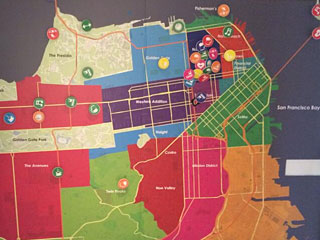
MTV's map of San Francisco for Season 29, which calls Russian Hill and Pacific Heights simply "Golden Gate." Photo by @aarontait

MTV’s map of San Francisco for Season 29, which incorrectly re-names Russian Hill and Pacific Heights as “Golden Gate.” (Photo by @aarontait.)

She also stressed the importance of amending the current statewide tax incentive next spring. “We want our legislatures to know that this is really important for Northern California as well Los Angeles. This is what will keep jobs here [in the Bay Area], and help our local teamsters and local SAG-AFTRA actors stay here and work here.”

Ms. Robbins said a committee of both Northern and Southern Californians will be pushing to make the tax credit comparable to New York State’s. “New York City currently has 23 TV shows working there. If we were able to expand our state tax credit, I know we would be able to get more productions in San Francisco.”

“Real World: San Francisco” airs January 16th on MTV, and “Looking” begins January 19th on HBO.


Daniel Steiner
Filmmaker
@Hararuk


  • Published in Film + Web

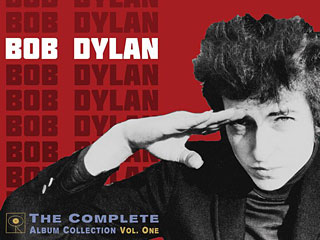
Bob Dylan's new album collection (pictured) goes hand-in-hand with a new music video experience

Bob Dylan’s new album collection (pictured) goes hand-in-hand with a new music video experience

The latest effort in interactive online video comes via Bob Dylan and “Like A Rolling Stone,” which was first released in 1965.

Hop on over to video.bobdylan.com and you’ll find it available for desktop (with the omnipresent Adobe Flash plug-in), or with a provided free app for mobile (since Flash is obsolete without iOS support). Nowhere is the ease of embedding, but we’ll get to that in a moment.

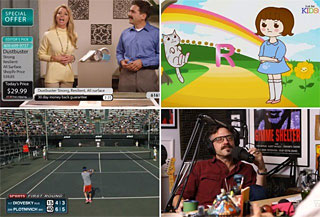
First, you’re greeted with a television set and remote control. It looks like you’re channel surfing, but on every channel everyone just happens to be in sync with Bob Dylan’s lyrics. Newscasters, home shopping network people, “The Price Is Right,” animated cats, and Bob Dylan himself via original film footage, it’s all there — 16 different channels/layers in all.

This experience is like a role-reversal karaoke experience, highly hypnotic to see how each lip-sync is pulled off in their respective environment. It’s empowering to choose a different clickpath whenever you want, not just at pre-planned junctions, allowing even more replayability. And it’s fast — void of buffering beyond an initial preload.

Four screenshots from the video, which Vanity Fair pulled out as some of the strangest moments

Four screenshots from the video, which Vanity Fair pulled out as some of the most unusual moments for a music video in general

Credited for the bulk of work on the project is Vania Heymann, a viral video star in Israeli and commercial director. Pulse Films and Walter Pictures were also integral in creating the content.

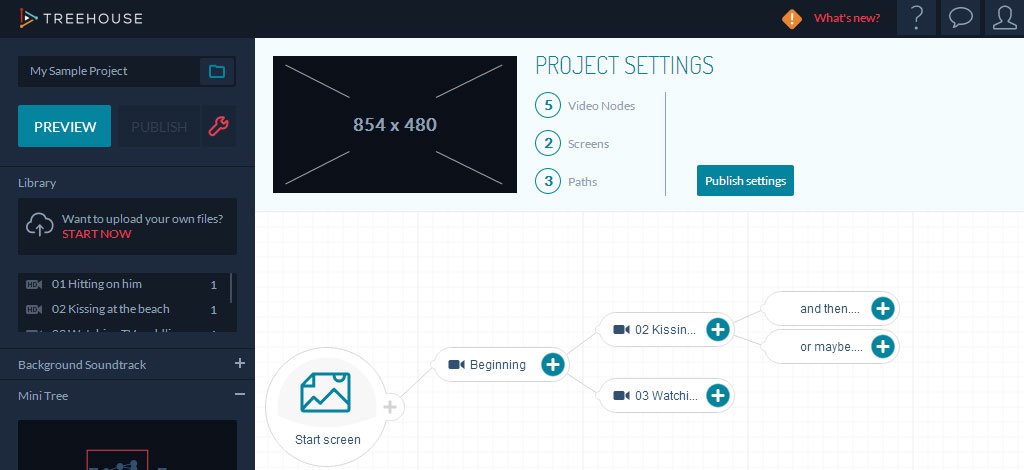
The technology behind this all is from Interlude, whose featured product is called Treehouse, an HTML5/JavaScript-fused toolkit that created the infrastructure for the “Like A Rolling Stone” interactive video. Their platform has only been up since June, but Interlude showcases several pro examples, ranging from MAC cosmetics to the sitcom “New Girl.” For each, clicking on-screen choices during the video as it’s still playing change the shot, all while staying in sync with the overall edit.

What Treehouse looks like when you're just starting out

What Treehouse looks like when you’re just starting out

This also means a proprietary technology that requires viewing via the official site and not YouTube, which only offers some rudimentary interactive video elements that can link videos together. Void is the embed code (which we tried pulling together) but it’s either intentionally or unintentionally localized (e.g. ChannelChange.swf, remoteController.swf, idHDbutton.swf, and SecondScreenInterface.swf are relative links to their Akamai CDN, cloud hosting the actual content). Locked-in to the end screen are just the requisite share to Facebook and Twitter links.

Normally, rocking a custom player and user experience like this takes time and money, where leveraging YouTube’s freemium hosting makes sense to even the most well-off financier. But what a better place to control the user experience as the creative/artist than your own site, while preventing linear bootlegs that pale to emulate the experience.

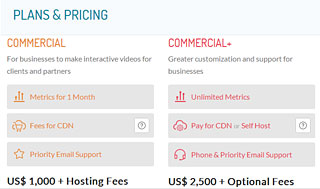
Commercial tiers alongside one "for individuals to make personal interactive videos," with metrics, hosting, e-mail support -- free for unlimited projects, their site says.

Commercial tiers alongside one “for individuals to make personal interactive videos,” with metrics, hosting, e-mail support — free for unlimited projects, their site says.

Interlude smartly charges for their commercial accounts and tacks on bandwidth, which is a necessary cost when self-hosting or white-label social video platforms like Brightcove. If you’re curious to test drive, Interlude touts a “free for personal use” option, which is filled with video tutorials for how to pull something like this off. It’s not easy, but it’s a major time, labor,and quality assurance saver providing a service like this.

Bob Dylan’s video is the latest of many recent interactive video efforts. We’ve covered many in the past, and it’s only going to get more frequent and fancy: Three Facets of Innovation for Beck’s “Hello Again” Experiment (2013), WebGL: How the Future Looks (2012), The State of 360-Degree Cameras for Online Interactivity (2012), and Writing Interactive Film for the iPad (2010).


Author

Aaron Proctor
Founder, FWD:labs
Director of Photography site
Contact